
How to Make a Gas Station Dance Video with AI
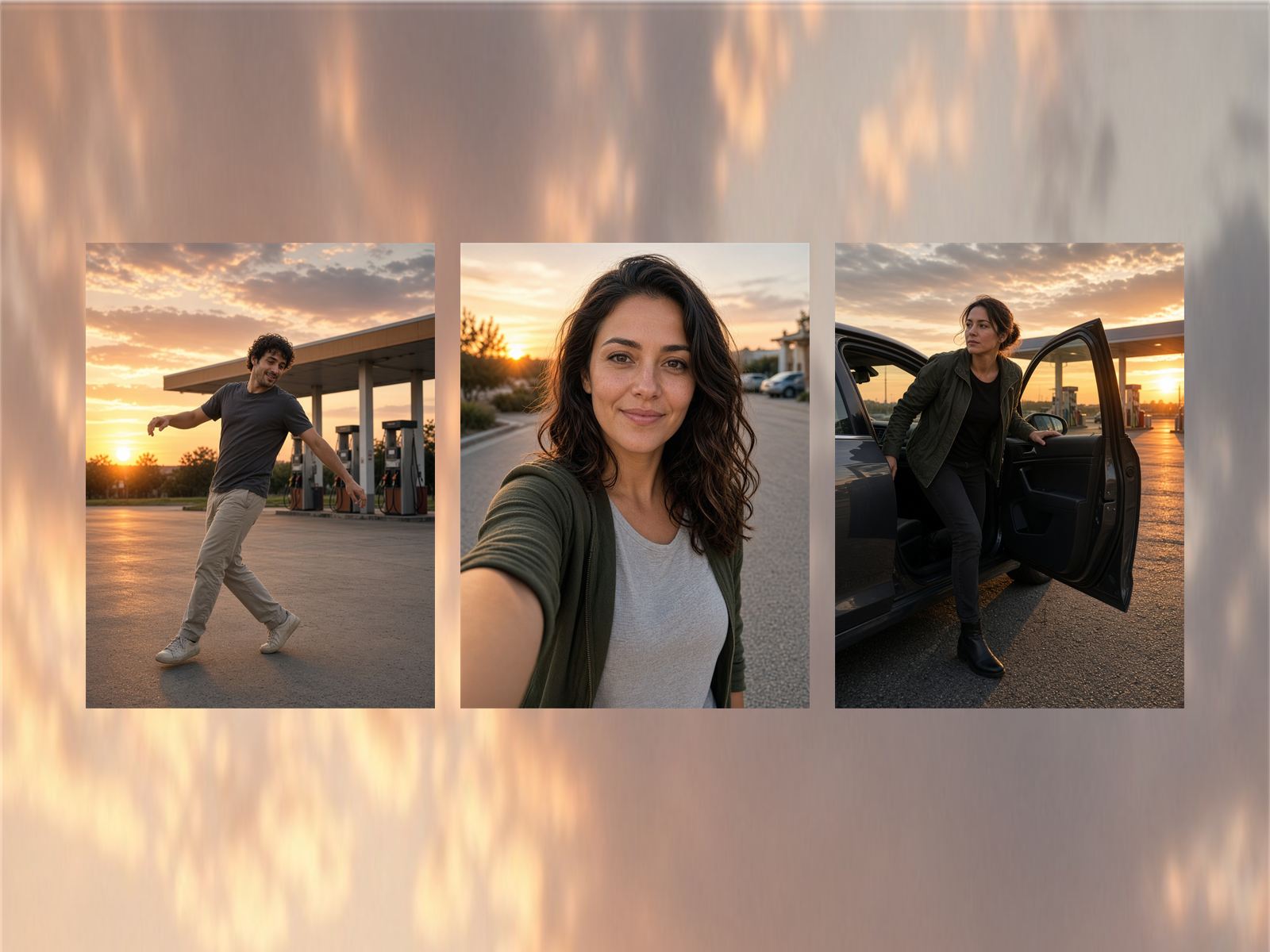
Upload 2–3 photos. In a few minutes you get a 15-second 9:16 gas station dance video: a sunset forecourt dance, a walking selfie, then a step out of a car.
Where the clip came from, which song to use, and how the Sunoco video differs are on the gas station dance trend page.
You do not need a gas station, and you do not need to know the dance. Upload two or three photos and download a 15-second vertical video a few minutes later.
This page follows the order you actually work in: what the clip looks like, which photo goes in which shot, whether two photos are enough, which length and quality to pick, and where the song comes from.
The finished clip is always these three shots
Shot 1 is a dance on the gas station forecourt at sunset. Shot 2 is a walking selfie. Shot 3 is a step out of a car. The place, the light, and the camera stay in the template. You only supply the person.
You do not write a prompt
Open the generator, add the photos, and press generate. You do not describe the scene or the dance.
Match each photo to a shot before you upload
Pick from your camera roll only after you know which photo plays which shot. The wrong photo puts that person in the wrong shot.
Photo 1 is the dance: use a front-facing full-body photo
This person dances on the forecourt. Keep them in frame from head to toe, facing the camera, so the outfit stays with the movement.
Photo 2 is the selfie: keep the face clear and looking at the camera
This person is the walking close-up. Sunglasses, a hat, a mask, or a turned-away face make it harder to recognize them in the clip.
Photo 3 is the car exit: you can skip it
If you add one, use another full-body photo. If you leave it empty, the person from the first photo steps out of the car.
Check three things before you choose a photo
One person in the photo
A group photo does not assign different people to different shots. Use even light, leave the face uncovered, and skip heavy filters.
A file the generator can take
Use JPG, PNG, or WebP. Each file stays under 8 MB, and each edge stays between 256 and 5760 pixels. A phone or desktop browser is enough. Nothing to install.
Pick the length and quality for how you will post it
To post it as a short video, keep the default: 15 seconds, 720P
The frame is 9:16, so it fits TikTok, Reels, and Shorts. That clip costs 45 credits.
To spend fewer credits, use 480p or a shorter length
The same 15 seconds at 480p costs 30 credits. You can also choose 5, 8, 10, or 12 seconds. Shorter costs less. The file has no watermark.
Add the song after you download
The MP4 has no sound
The generator does not include the trending track. Download the file, post it on TikTok, Reels, or Shorts, and add the sound there.
Clips stay at least 7 days, photos about 24 hours
Download anything you want to keep before the clip expires. Only upload people who agreed to appear. Do not use photos of minors.
A failed job returns the credits
A finished clip usually takes a few minutes. If the job fails or times out, the credits come back, and you can try again with different photos.
Start here
Open the gas station dance AI generator. If you still need credits, see the pricing page.